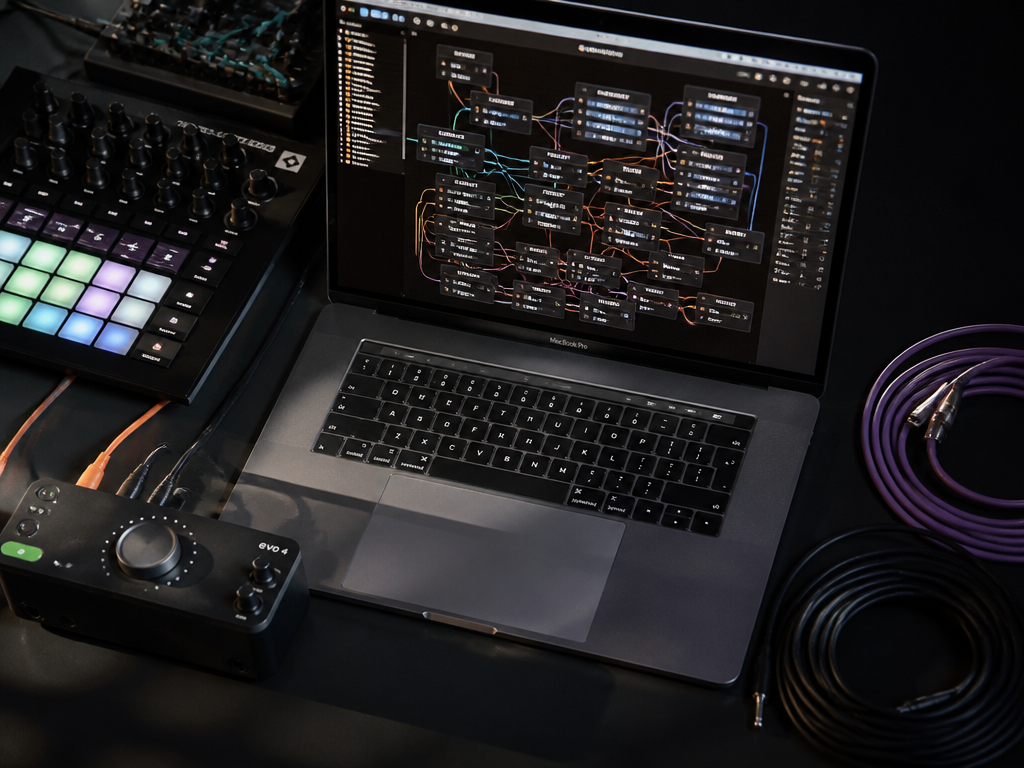
The night a video cue failed on me, it wasn't the software's fault, exactly. It was 40 minutes into a set, the patch had grown three layers deeper than I could hold in my head, and when the dancer hit her mark the projection stayed frozen on the previous scene. Two seconds of dead air in a live room feels like a minute. I fixed it in the dark by muscle memory. But I remember thinking, standing there sweating behind a folding table, that the problem was never the render — it was that I'd built something I couldn't reason about while it was running.
That memory is the lens I bring to Isadora 4.5 and its most-cited feature: real audio handling and VST3 plugin support inside a tool that was, for most of its life, about moving images to the beat of a body onstage. The interesting question isn't whether Isadora 4.5 can now load a compressor. It's whether adding sound to Isadora, versus reaching for Max/MSP or TouchDesigner, changes what you can trust to hold together when the room is watching. So this is a three-way comparison, run through the only test that matters for this reader: what happens under pressure.
Three tools on the bench
Let me name them plainly, because they get lumped together as "node-based creative environments" and that lumping hides everything useful.
- Isadora — a media patching environment born in the dance and theater world. Its unit of thought is the scene: a stage state you cut and dissolve between, like cues in a lighting board. Version 4.5 is the one that brought serious audio and VST3 into the frame.
- Max/MSP — the elder statesman of visual programming for sound. Its unit of thought is the signal: samples, buffers, control rates, MIDI. Max is where you invent an instrument that has never existed.
- TouchDesigner — a GPU-first visual environment where the unit of thought is the operator network: textures, geometry, and data flowing through a pipeline built to push pixels hard.
They overlap in the middle — all three can trigger video, all three speak OSC and MIDI, all three will let you build an interactive system that reacts to a sensor or an audio feature. But they were each built around a different center of gravity, and that center is what shows up at 40 minutes into a set.
How I'd decide
I'm not going to hand you a scorecard with numbers I made up. Instead, here are the criteria I actually weigh when deciding what to drag onstage, and I'll run each tool through them.
- Resilience under performance — can you reason about the patch while it runs, and recover from a mistake without stopping?
- Audio and VST3 handling — how real is the sound engine, and can you use the plugins you already own?
- Patching overhead — how much of your attention does the tool cost before it gives anything back?
- Visual pipeline — how far can you push the picture before the frame rate collapses?
- Routing and formats — OSC, MIDI, Syphon/Spout, audio device routing, export.
- Price and licensing over 12 months — what you pay, what you're allowed to do with the output, and what the free tier honestly gives you.
- Who it's wrong for — because every one of these is wrong for somebody.
Where Isadora comes from, and why that shows
Isadora was built by Mark Coniglio out of the needs of Troika Ranch, the dance-theater company he co-founded. That origin is not trivia — it's the whole personality of the tool. When your software grows up in rehearsal rooms with dancers and a stage manager calling cues, you optimize for a specific thing: getting from one committed state to the next, cleanly, in real time, without the operator staring at a spaghetti of connections trying to remember what does what.
That's why Isadora organizes around scenes. You build scene one, scene two, scene three, and you move between them the way a lighting op moves between cue states, with control over the transition. The patching lives inside each scene, so the mental unit stays small. You're not holding the entire show in your head at once; you're holding the scene you're in and the one you're going to.
Compare that to Max, which came out of IRCAM and the tradition of computer music research — Miller Puckette's work, later commercialized by Cycling '74. Max assumes you want to build a machine and then play it. There's no built-in notion of "the show is a sequence of committed states." You can build that yourself, and people do, but the tool doesn't hand it to you. TouchDesigner, from Derivative, grew out of Houdini's procedural DNA and the demands of large-scale visual installations and VJ work. Its center of gravity is the pixel pipeline, and it's ferociously good there.
None of this makes one tool better. It means each one makes a different thing cheap and a different thing expensive.
Audio and VST3: what 4.5 actually changed
Here's the honest version. For most of Isadora's history, sound was the afterthought. You could trigger audio files, do basic playback, sync to a click, but if you wanted to actually process sound — run a bus through a reverb, sidechain a pad, load the plugins you'd bought for your DAW — you were leaving Isadora to do it. You'd run Ableton or Reaper alongside and glue the two together with MIDI, OSC, or an audio routing utility. It worked. It also meant two applications, two failure points, two things to babysit at 40 minutes in.

The audio and VST3 support in this generation of Isadora closes that gap. You can bring plugin processing inside the same environment that's driving your visuals, route audio through the patch, and treat sound as a first-class citizen of the scene rather than a guest from another app. For an audiovisual performer, that consolidation is the actual value — one document, one thing to trust, sound and image cued from the same scene logic.
But I want to be straight about the limit. Isadora becoming a capable audio host does not make it a DAW, and it doesn't make it Max. If you want to design a granular synthesizer from raw samples, build a physical-modeling instrument, or work at the buffer-and-sample level, Isadora is not where that happens and isn't trying to be. Its audio strength is integration — hosting the tools you already have and folding them into a live scene — not invention at the signal level. Max owns signal-level invention and will for the foreseeable future. If your creative problem is "I need a sound that doesn't exist yet," reach for Max. If it's "I need my existing sound design to live in the same cued environment as my video," that's the case Isadora 4.5 now answers well.
TouchDesigner, for its part, has audio analysis (it'll happily turn a live input into control data for visuals) and can host some audio, but nobody I know reaches for it as their sound-processing home. Its audio is in service of the picture. That's fine — it's honest about what it is.
Patching overhead: the cost before the payoff
This is the criterion that separates people who love a tool from people who quietly resent it.
Max is powerful in inverse proportion to how forgiving it is. A blank Max patch is a blank page in the most literal sense: nothing happens until you make it happen, and the difference between control-rate and signal-rate objects, the ordering of message boxes, the right-to-left evaluation — all of it is overhead you pay before you get a single sound out. Once you're fluent, that overhead becomes expressiveness. Before you're fluent, it's a wall. I've watched talented musicians bounce off Max not because they lacked ideas but because the ratio of setup to result was demoralizing.
TouchDesigner sits in the middle. The operator families (TOPs, CHOPs, SOPs, DATs) are a real conceptual load — you have to internalize which network you're in and how data crosses between them — but the immediate visual feedback softens the climb. You see the texture change as you wire it. That feedback loop is genuinely motivating, and it's one reason TouchDesigner has such a devoted VJ following.
Isadora's overhead is the lowest of the three for its intended job, and the scene model is why. Because each scene is a bounded workspace, the patch you're staring at stays legible. You spend your attention on the shape of the performance — what cuts where, how this transition breathes — rather than on holding an entire system in working memory. For someone whose deadline is a Friday performance, not a Tuesday research demo, that difference is the whole ballgame.
The honest negative: that same scene-bounded elegance can feel like a fence if your piece genuinely is one continuous evolving system with no discrete states. Generative work that never "cuts" — a slowly mutating field that runs for an hour — fits TouchDesigner's continuous-pipeline model more naturally than Isadora's cue-based one. You can do it in Isadora. You'll occasionally feel the scene metaphor working against you.
Visual pipeline: how hard can you push the frame
If raw visual horsepower is the deciding factor, TouchDesigner wins and it isn't close. It's GPU-native, built for pixel-heavy installations, instancing thousands of objects, feedback networks, high-resolution multi-projector mapping. When the brief is a museum wall of LED or a stadium-scale visual system, TouchDesigner is the tool that was designed for the load.
Isadora's visual engine is capable and has matured a great deal, and for the scale most of us actually work at — a stage, a couple of projectors, live camera and video with real-time effects — it's more than enough and easier to drive. But if you're chasing the absolute ceiling of GPU-driven visuals, you'll feel Isadora's priorities were elsewhere, because they were: onstage reliability and operator sanity over maximum pixel throughput.
Max with Jitter handles video and OpenGL, but visual work in Max often feels like it's swimming upstream compared to a tool built picture-first. People do extraordinary things in Jitter. They also work harder for them than a TouchDesigner user would.
Routing and formats
All three speak the connective languages of this world, and this is where they're most similar.
| Capability | Isadora | Max/MSP | TouchDesigner |
|---|---|---|---|
| OSC in/out | Yes | Yes | Yes |
| MIDI | Yes | Yes (deep) | Yes |
| Video share (Syphon/Spout) | Yes | Via externals | Yes (native, strong) |
| Audio device routing | Improved with VST3 host support | Deep, sample-level | Present, secondary |
| Plugin hosting | VST3 (this generation) | VST/AU host + native DSP | Limited |
| DMX / lighting | Yes | Via externals | Yes |
The practical read: for gluing multiple machines and applications together in a live rig, any of these will hold up the OSC and MIDI end of the bargain. TouchDesigner has the strongest native video-sharing story if you're piping visuals between apps. Max has the deepest MIDI and audio-routing control if you're building something signal-precise. Isadora's newer strength is that with VST3 hosting inside the scene, you can now keep more of the audio chain in-house instead of shuttling it out to a DAW over MIDI clock and praying the sync holds.
Price and licensing over 12 months

This is where I've watched people get burned, so read the fine print for your own situation — these terms shift, and what I can tell you durably is where the shape of the deal differs, not a price I'd have to caveat as out-of-date the week after publishing.
Isadora has historically been sold as a perpetual license rather than a subscription — you buy a version and own it, with a free trial that lets you use the full tool with saving disabled. That saving limitation is worth thinking about the right way: it means you can build and run and evaluate the entire environment for real before you spend a cent. The independence of the tool has been funded by people buying licenses rather than by venture money or an ad model, and that shows up as a company that answers its own community. There's usually an educational discount, which matters if you're teaching or enrolled.
Max/MSP from Cycling '74 is available both as a perpetual license and as a subscription, and — important — Max is bundled inside Ableton Live Suite as Max for Live. If you already run Live Suite, you have a large slice of Max's power without a separate purchase, though Max for Live lives inside Ableton rather than as a standalone.
TouchDesigner from Derivative runs a tiered model built around output resolution and commercial use, including a genuinely usable free non-commercial tier capped at a resolution ceiling, with paid tiers unlocking higher output and commercial deployment. If your work is non-commercial or you're learning, that free tier is real and generous.
On the licensing question that burns people worst — can I use the output commercially — all three are, broadly, tools you're licensing to run, and the media you create with them is yours; the money question is about the software license tier, not a royalty on your art. That's a meaningfully cleaner deal than the stock-music subscriptions many of us fled, where "commercial use" hides behind a footnote and a higher tier. Still: confirm the current terms against your exact deployment before you commit a paying gig to any of them. Free tiers with resolution or saving caps are common, and they are features, not traps, as long as you read what the cap is.
The 12-month honest math: if you buy an Isadora license once, your year-one and year-two costs diverge sharply from a subscription. If you already own Ableton Suite, Max's marginal cost to you is effectively zero. If you're non-commercial, TouchDesigner's free tier can carry you a long way. Your cheapest correct answer depends entirely on what you already own and whether you're getting paid.
The verdict, arrived at rather than announced
Run all three through the criteria and the pattern is clear, and it isn't a ranking — it's a matching.
If your work is live audiovisual performance — you cue scenes, you need image and sound to move together, and above all you need to reason about the patch while it's running in front of people — Isadora is the tool built for exactly that shape of pressure, and the audio and VST3 support in this generation removes the last big reason you were running a second application. The scene model that some would call a constraint is the thing that keeps you calm at 40 minutes in.
If your work is inventing sound — synthesis, novel instruments, signal-level processing that doesn't exist off the shelf — Max is the instrument, and nothing here displaces it. Its overhead is the price of its depth.
If your work is pushing pixels hard — large-scale visual installations, projection mapping, generative systems that run continuously and want the GPU wide open — TouchDesigner is the pipeline, and its continuous-network model fits work that never cuts.
The mistake is asking which one is best. The right question is which center of gravity matches your work, because each tool makes its own center cheap and everything else expensive.
Who it's for, who should skip it
Reach for Isadora if you're a choreographer, theater designer, interactive media artist, or electronic musician whose deliverable is a live cued performance, and you want your attention spent on the flow of the piece rather than on maintenance of a fragile system. The free full-feature trial with saving disabled means you can test that claim against your own real project before paying.
Skip Isadora if your entire practice is signal-level sound design (go to Max) or maximum-throughput GPU visuals with no cue structure (go to TouchDesigner). And if your piece truly is one unbroken continuous system with no discrete states, expect to feel the scene metaphor as friction.
Reach for Max if you already own Ableton Suite, or if your creative problem is a sound or an instrument that has to be built from primitives. Skip it if the setup-to-result ratio will demoralize you before you get fluent — that wall is real.
Reach for TouchDesigner if the picture is the point and the scale is large, or if you're non-commercial and want a powerful free tier. Skip it if your center of gravity is sound, or if you want a cue-based show-running model out of the box rather than one you build yourself.
Back to the dropped cue
That two seconds of dead air, 40 minutes into the set, taught me the criterion I've used ever since: not what a tool can render, but what I can trust while it's running and I'm the one recovering in the dark. Measured that way, the audio and VST3 additions in this generation of Isadora aren't a feature-list flex. They're the difference between one document you can reason about and two applications you're babysitting — and on a stage, that's the whole game.
Not sure which tool to use?
Compare the top AI music and sound tools side by side — honest reviews, real pricing, no sponsorships.