You finished the song at 1 a.m. A two-minute Suno cut in A minor, 92 BPM, a detuned Rhodes under a half-time trap kick, exported clean at 48kHz. The hard part was supposed to be over. Then you opened a video tool to make something for YouTube, and three hours later you had one gorgeous eight-second clip of a city at night and no idea how to turn it into anything you could actually post. That gap — between a finished track and a finished post — is where AI video generation either earns its place in your week or quietly wastes it.
Here is the question I think you've actually been asking, even if you phrased it as "which tool is best": Can I build a repeatable system that turns a Suno song into YouTube, vertical socials, and a streaming canvas without re-learning the process every single time? Not one cinematic shot. A pipeline.
Disclosure up front: City of Punk makes tools in this space, so treat me as an interested party. I'm not going to name a winner that happens to be us, because the honest answer doesn't break that cleanly. What I can do is tell you where each category of tool helps and where it leaves you holding an editing timeline you didn't sign up for.
Short verdict: as of writing, no single tool takes a Suno track and spits out polished YouTube, vertical, and canvas formats in one pass without compromise — the music-first generators get you closest to repeatable, the cinematic generators get you the best individual shots, and most real workflows still stitch the two together.
How I'd decide
I stopped scoring these things on how pretty the demo reel looks, because the demo reel is never your song. Here is the grid I'd actually use.
- Audio sync. Does the tool ingest your full track and cut to it, or do you bolt the audio on afterward in a separate editor? This is the single biggest time sink.
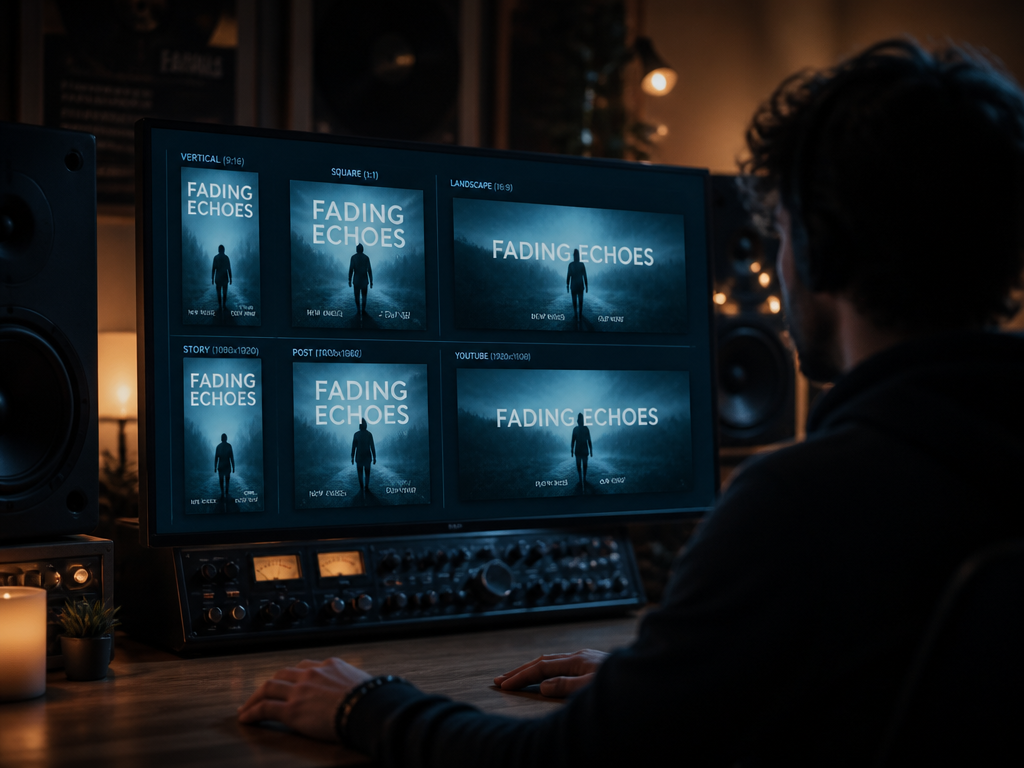
- Multi-format export. One project, three aspect ratios. 16:9 for YouTube, 9:16 for Reels and Shorts, and a short loop for streaming canvas. If you re-render from scratch for each, that's three times the cost and three times the waiting.
- Repeatability. Can you save a look — palette, motion style, scene rhythm — and apply it to your next ten releases so your channel reads as one artist instead of ten different stock packs?
- License clarity. Specifically, whether commercial use is included or sits behind a higher tier. This is where stock-music-adjacent tools have burned people for years, and video tools are repeating the trick.
- Cost over twelve months. Not the headline monthly number — the number after you've hit the render cap twice and upgraded.
- Who it's wrong for. Every tool has a person it actively wastes time for.
The four jobs, and why one tool rarely does all four
A Suno track doesn't need "a video." It needs up to four different things, and they have genuinely different requirements. This is the part the all-in-one pitches skip.
The full-song YouTube piece. Three minutes of visuals that hold attention for the length of the track. The enemy here is sameness — a single looping clip under your whole song reads as a placeholder. You want scene changes that land on structural moments: the drop, the bridge, the beat where the vocal drops out. Music-first generators that ingest the audio and cut to it handle this best, because they're reacting to your arrangement instead of making you mark every transition by hand.
The vertical clip. Fifteen to forty seconds, the hookiest bar of the song, sized 9:16. The job is the hook and a caption, fast. Cinematic generators are overkill here and slow; you want something that reframes existing visuals to vertical and gets out of the way.
The streaming canvas. A short seamless loop, three to eight seconds, that lives behind the track on Spotify and similar platforms. The whole craft is the loop point — a canvas that visibly jumps every eight seconds is worse than no canvas. Most generic video tools don't think about seamless looping at all, so you end up trimming and crossfading manually.
The one hero shot. The thing that makes someone stop scrolling. This is where the high-end cinematic generators genuinely shine, and where the music-first tools tend to look generic. If your release deserves one striking image — a flooded subway, a face dissolving into static — that's a job for a cinematic model, exported as a clip and dropped into the rest.
The trap is buying one tool and expecting it to do all four well. The cinematic generators make beautiful hero shots and then leave you to plan, cut, and sync the full song by hand in a separate editor. The music-first tools cut to your track automatically and reframe formats, but the individual frames won't win awards. They're doing different jobs.
Where each category lets you down
Cinematic generators (the Runway-style tools). Output quality is the best in the field. But for a full Suno music video, you're still planning the shot list, generating clips one prompt at a time, and assembling and syncing everything outside the tool. Prompt-roulette is real — you'll burn renders before you get the look. Excellent for the hero shot, slow as a primary pipeline.
Music-first / beat-synced generators. These take the whole track and build scene changes around it, which is exactly the repeatability you want. The honest cost: the visuals can come out mushy or samey, and the "style" you pick is often more like a filter than a directable look. Strong on workflow, weaker on the single striking frame.
Talking-head and avatar tools. Built for explainer videos and corporate scripts. For a song, they're the wrong instrument — they want a speaker and a script, not a Rhodes line in A minor. Skip them for music unless you're making a face-to-camera artist-intro.
General clip-stitchers and template apps. Fine for a quick vertical with a caption. They rarely sync to your actual arrangement and rarely handle a seamless canvas loop, so anything beyond a hook clip means manual work.
On licensing: check whether commercial use is included on the tier you can afford, and whether the output is yours to monetize on YouTube's Content ID. Terms vary by tool and change often, so confirm at signup rather than trusting a feature chart. The pattern that's burned creators is the footnote that says commercial use requires the next tier up.
Who this is for, who should skip
Build the multi-tool pipeline if you release regularly and need YouTube, vertical, and canvas every time. Use a music-first generator as your spine for the full-song cut and the format reframes, and pull in a cinematic generator only for the occasional hero shot. That combination is the closest thing to repeatable today.
Skip the cinematic-generator-as-primary plan if you put out music monthly. You'll spend more time prompting frames than you spent writing the song, and the look will drift release to release.
Skip the all-in-one promise entirely if anyone tells you one button does all four jobs at broadcast quality. As of writing, it doesn't.
The unresolved part, and I mean genuinely unresolved: we don't yet know whether a model can learn the structure of a song — verse, drop, the bar where everything drops out — well enough to cut to it like a human editor who's heard it twice. Right now they cut to amplitude and tempo, which is rhythm, not meaning. When that changes, the four jobs might finally collapse into one. So here's the question I can't answer yet: when a model can hear the bridge coming, will you still want it to decide where the camera goes?
Not sure which tool to use?
Compare the top AI music and sound tools side by side — honest reviews, real pricing, no sponsorships.